
Your Direct Connection to Israel,
from Anywhere in the World
Call your contacts directly with excellent sound quality, receive SMS messages from Israel, with no complicated prefixes and at the most affordable rates.
Download the app for free and start calling
Why Choose the Local03 App?
Receive SMS from Israel
Receive SMS messages and verification codes from banks and institutions in Israel, sent straight to the app, wherever you are in the world.
Call History
A complete, organized record of every outgoing call made within the app, for your convenience.
Contact Sync
Shows your existing mobile contacts for one-tap dialing, with no need to re-enter them.
Audio Quality
Clear, uninterrupted HD-quality communication with no delay, even over changing internet connections.
Dialing Flexibility
Choose whichever dialing method suits you best, at the most affordable rate, any time you like.
Significant Savings
Save tens of percent on international call costs compared to standard carriers.
Quick Start in 3 Simple Steps
Follow along and you'll be up and running in a couple of minutes.
.jpeg)
Step 1: Enter Your Mobile Number to Sign Up
When you open the app, the Welcome screen will appear:
- Select the country code for the location of your number.
- Enter the local mobile number authorized on your account.
- Choose to receive the verification code via SMS or WhatsApp, then tap Continue.
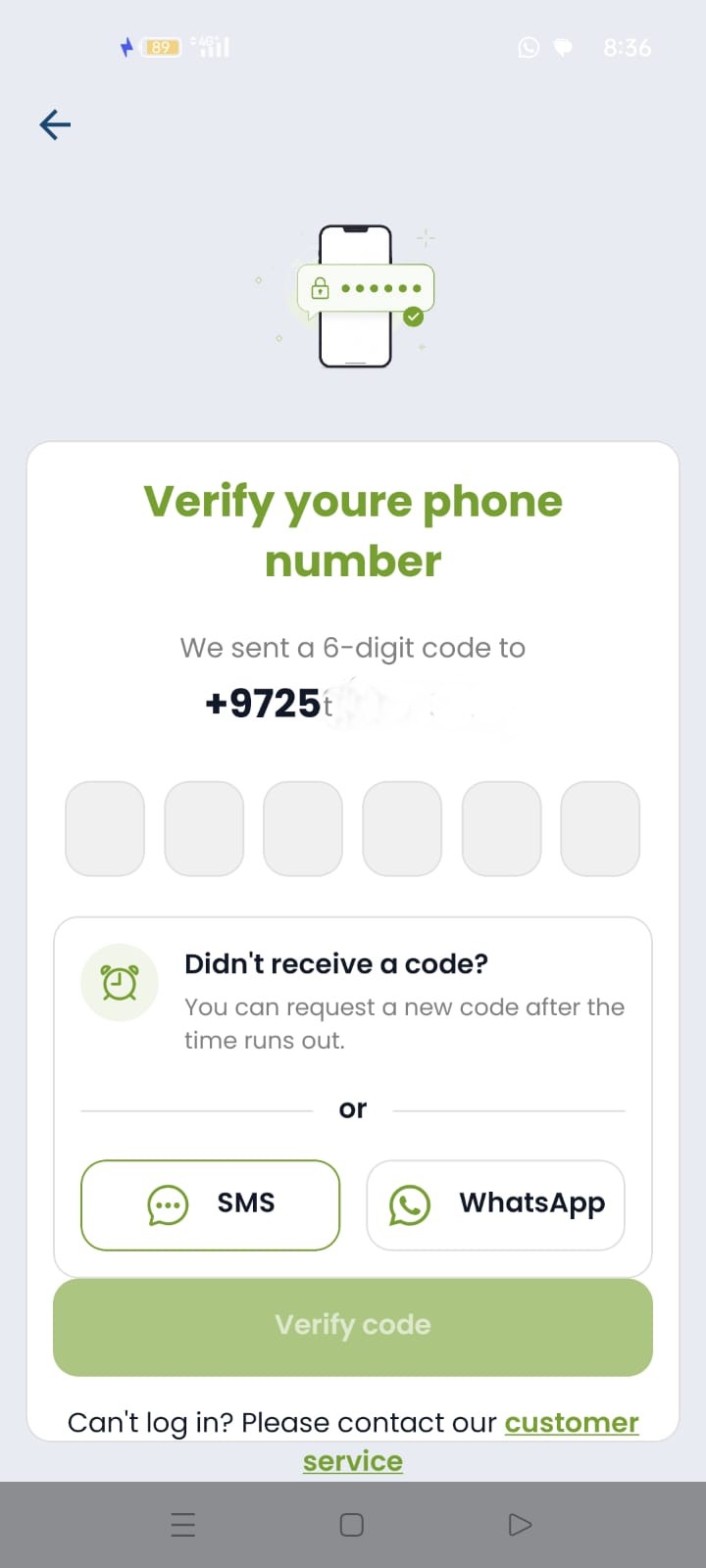
Step 2: Verify Your Phone Number
Enter the 6-digit verification code you received via SMS or WhatsApp.
After entering the code, tap Verify code.
💡 Helpful tips for smooth verification:
- • Seeing "Authentication blocked due to too many attempts"? Wait about 15 minutes and try again.
- • If you've updated a new authorized number on your account, please allow about 20 minutes for the update to finish in the app.
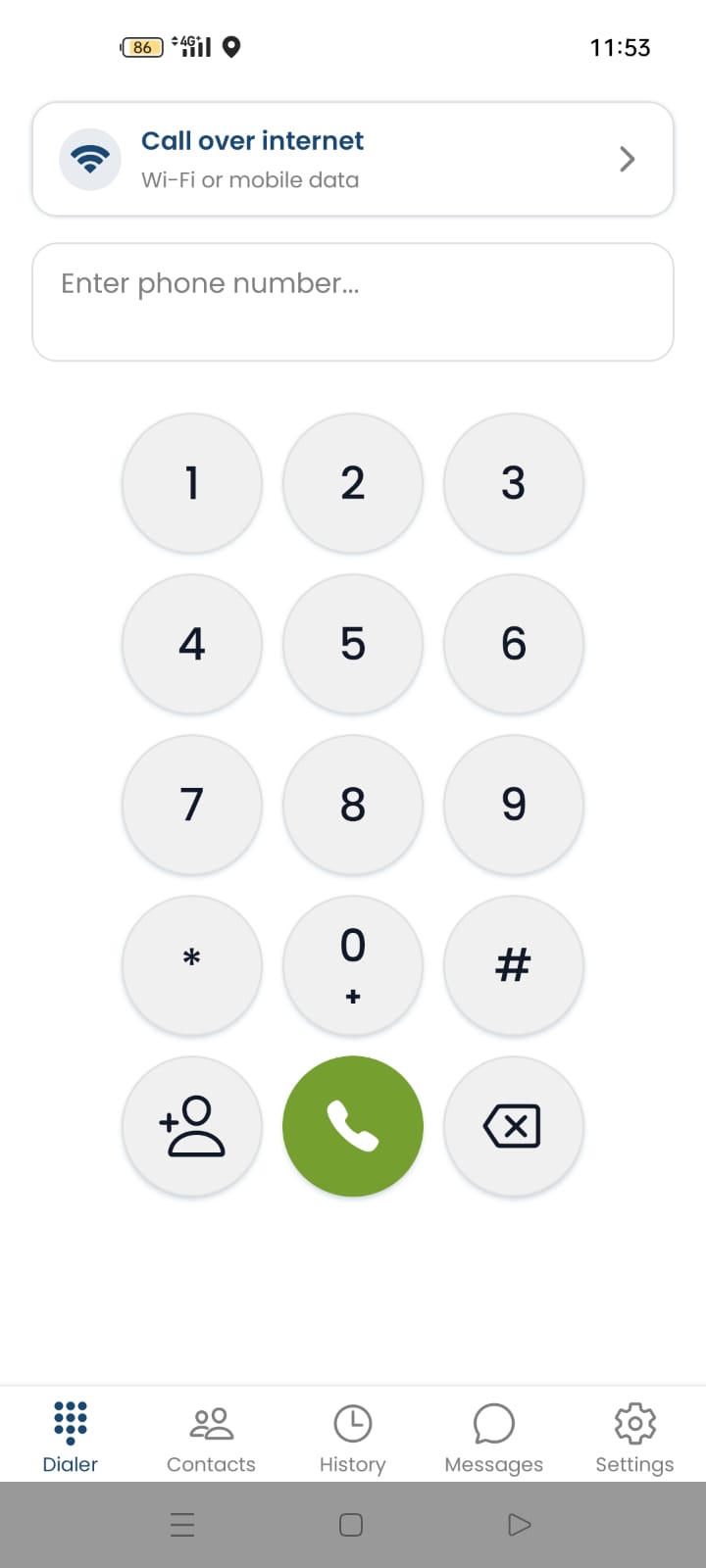
Step 3: Dialer & Using the App
The main dialer screen gives you quick access to all the features:
- Dialer: dial numbers directly.
- Contacts: direct access to your phone's contacts.
- History: your complete call history.
- Messages: receive and view SMS messages.
Dialing Mode Settings
In the settings screen (tap the ⚙️ gear icon at the bottom), you can choose your preferred dialing mode:
- Internet Calling: high-quality calls over Wi-Fi or a mobile data plan.
- Access Number Calling: a great solution when you don't have a steady internet connection.
That's it - you're all set!
Stay Israeli. Work Globally.
Frequently Asked Questions
Yes - the app is used for outgoing calls, and you can dial from anywhere in the world to any country.
*Call usage is subject to the terms of your monthly plan.
To view and copy an SMS you've received, open the Messages screen at the bottom of the app and press and hold the message you want.
Select the country code for where you're located, then enter the local number authorized on your account - without an international prefix and without a leading 0.
If you see the message "Authentication blocked due to too many attempts," wait about 15 minutes and try again.
When you update a new authorized number on your Local03 account, please allow about 20 minutes for the update to finish processing in the system and the app.